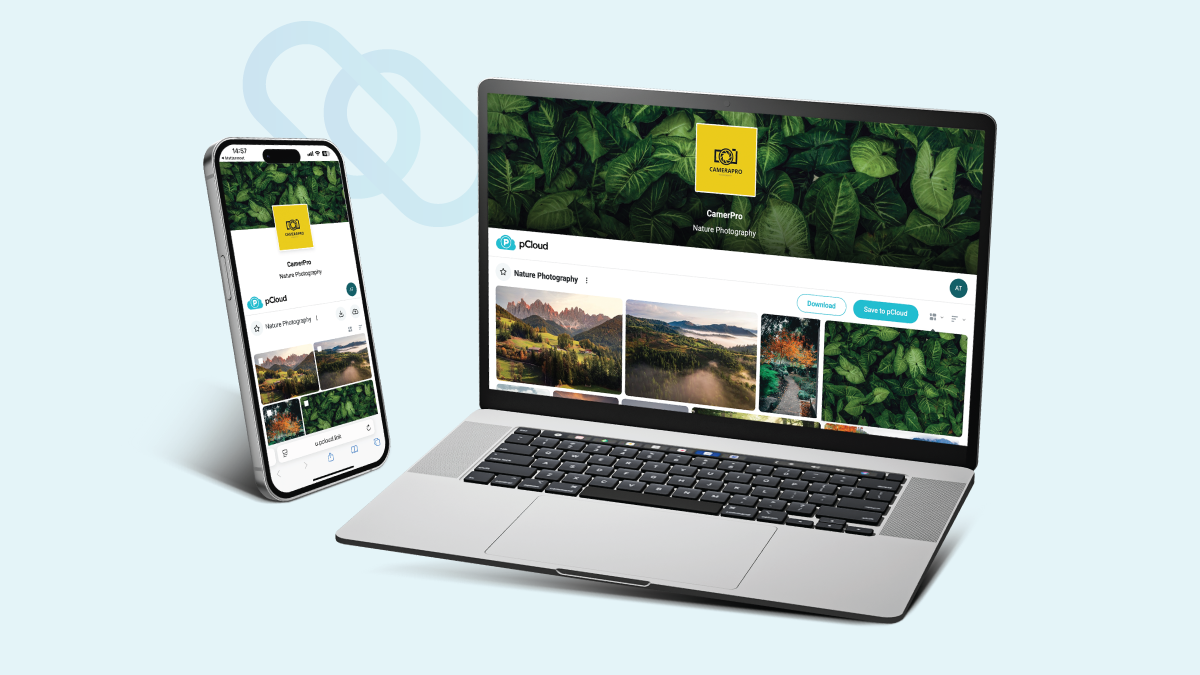

If there’s one thing to be sure about in the design world, it’s that one needs branded links.
With the right approach, effective branding allows you to create a unified message that potential customers can easily identify. Because it’s a fact – consumers embrace familiar brands and images.
Let me tell you a quick story.
Last week, I clicked a link from a painter I follow online. The page loaded and all I saw was a blank header and a file list. No clue what I was about to see. So, I closed it.
Then I clicked another link—from a graphic designer. This time, I saw her latest poster, bold and bright, smiling back at me. A snappy title told me exactly what I’d find. Then, a few lines below, a short note explained why it mattered.
I stayed, clicked, and smiled.
That’s the power of a link preview done right.
With pCloud you can dress up your link with three simple—and oh-so-powerful—elements:
- A personalised cover image
- A headline
- A description
Nail these, and every link you share feels like part of your brand. Here’s how.
Cover Image: Your Visual Hook
Why it matters? Well, before readers dive in, they look at the picture. It’s your first handshake. A blank page feels cold. While a well-chosen image feels warm, inviting—and professional.
Best practices
- High quality
Use a crisp JPG or PNG. Blurry images feel amateur. - Relevant subject
If you’re a photographer sharing wedding shots, show a bride and groom. If you’re a UX designer, show a slick interface. - Keep it simple
Avoid busy scenes. A clear focal point draws the eye. - Brand colours
If you have a palette, incorporate it. Subtle overlays can help text pop, too. - Aspect ratio
pCloud displays a wide rectangle. Aim for a 16:9 ratio to avoid awkward crops.
Quick tip
Create a template in Canva or Figma. Swap out the image each time. That way, every cover image looks like it came from the same studio.
Headline: Your Quick Pitch
Why it matters? Because people skim. They want to know, in a heartbeat, “Why should I click?” Your headline answers that. It sets the stage.
Best practices
- Be concise
Aim for 5–8 words max. - Lead with benefit
“See My Latest Photo Series,” not “Photos from April.” - Use your voice
Serious, playful, poetic—choose whatever feels true to you. - Include keywords
If you share “brand guidelines,” say exactly that. Clarity beats cleverness.
Quick tip
Write three versions of your headline. Test them on friends. Pick the one that gets the nod every time.
Description: Your Snackable Story
Why it matters? This is your chance to explain. What’s inside? Why is it worth their time? A few lines here can turn a casual visitor into a fan.
Best practices
- Keep it short
Two or three sentences. - Hit the highlights
Mention dates, subjects, or collaborators. - Show personality
A dash of humour or a hint of your tone goes a long way. - End with an invitation
“Have questions? Drop me a line.”
Quick tip
Write your description as if you’re texting a friend. No stiff copy. Just real talk.
Why Branded Links Works for Creatives
Photographers can tease a gallery with a single shot, a title like “Golden Hour Magic,” and a note about the session location.
Designers can showcase a logo pack with a crisp mockup image, “New Brand Identity for CoffeeCo,” and a line about the project brief.
Musicians can preview a single with the album art, “Listen to ‘Summer Skies,’” and a shout-out to collaborators.
Writers can send a manuscript excerpt with a book cover, “Chapter 1: The Awakening,” and a hook that leaves you wanting more.
Each link becomes a canvas. Each preview, a tiny exhibit of your work.
A Little Story
Think of your cover image as the gallery window. Your headline is the neon sign. And your description? That’s the gallery flyer in someone’s hands.
Would you walk past a gallery with a blank window? No. You’d stop and lean in. Then, wonder what’s inside.
That’s exactly what branded links do.
Ready to Elevate Your Links?
Every click is a chance to impress. Every view is an opportunity to connect.
Transform your generic URLs into memorable moments. No coding or fuss. Just three simple steps to make your work shine.
👉 Customize your links with pCloud and give your audience a preview they can’t resist.