Track your Download link activity directly from your iPhone

Monitor how your Download links are performing, directly from your iPhone with our awesome new pCloud app update!

Dive deep into the tools that make pCloud powerful. From file sharing to enhanced security, explore how each feature is designed to simplify your digital life and boost productivity.
Monitor how your Download links are performing, directly from your iPhone with our awesome new pCloud app update!

Summer’s the perfect time to kick off your vacation plans in full motion and get some well-deserved rest. Sometimes, however, the stress of turning that long-awaited trip from vision to reality can take away the excitement of exploration. Luckily, with…

Let’s welcome pCloud Save – the perfect way to save anything from the web, directly to your pCloud. Once we go online first thing in the morning, it’s safe to say that we’re flooded with information. We have at least…
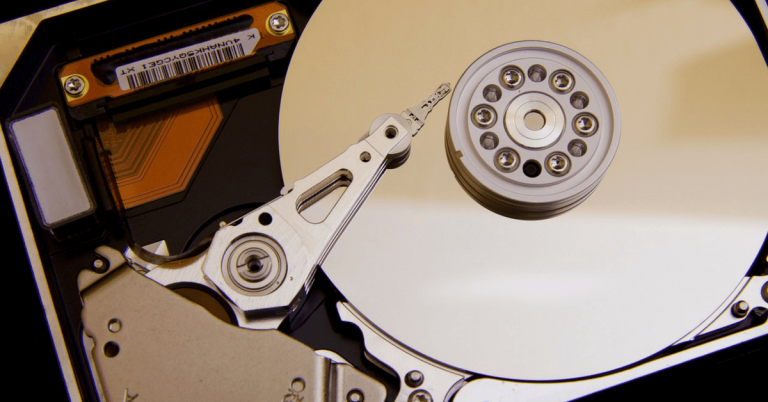
Often, we get asked what is a cache and how does it work. In this short article, we’ll try to explain this in simple terms and address the most frequently asked questions about it. What is cache? In computing, the…

With cybercrime on the rise, more and more users are on the look for online services that offer them sufficient security and encryption. In fact, this is a factor that drives many customers to pCloud – we are known to…

If you’re a professional or semi-pro photographer and like to shoot in RAW format, you’ll be happy to learn that pCloud now supports RAW files preview. What is a RAW image format RAW is a file format that captures all…

A few years ago, I made the jump from a Windows computer to a Mac. At that time I was freelancing, running from meeting to meeting and traveling a lot – so I needed the perfect combination of size, weight…

In my everyday work, I often need to download resources like PDF reports, ebooks, case studies or pictures for this blog, for example, and I need to keep these files for future reference. Naturally, I store these in…

This week we released version 1.21.0 of our mobile app for iOS and boy, is it sleek! Just when we think that the app literally can’t get any better, the boys and girls from our Product development and iOS teams…

Taking screenshots is a piece of cake – press command + shift + 4, drag around the area you wish to capture (orcommand + shift + 3 for a grab of your entire screen), and you’re good to go.…